
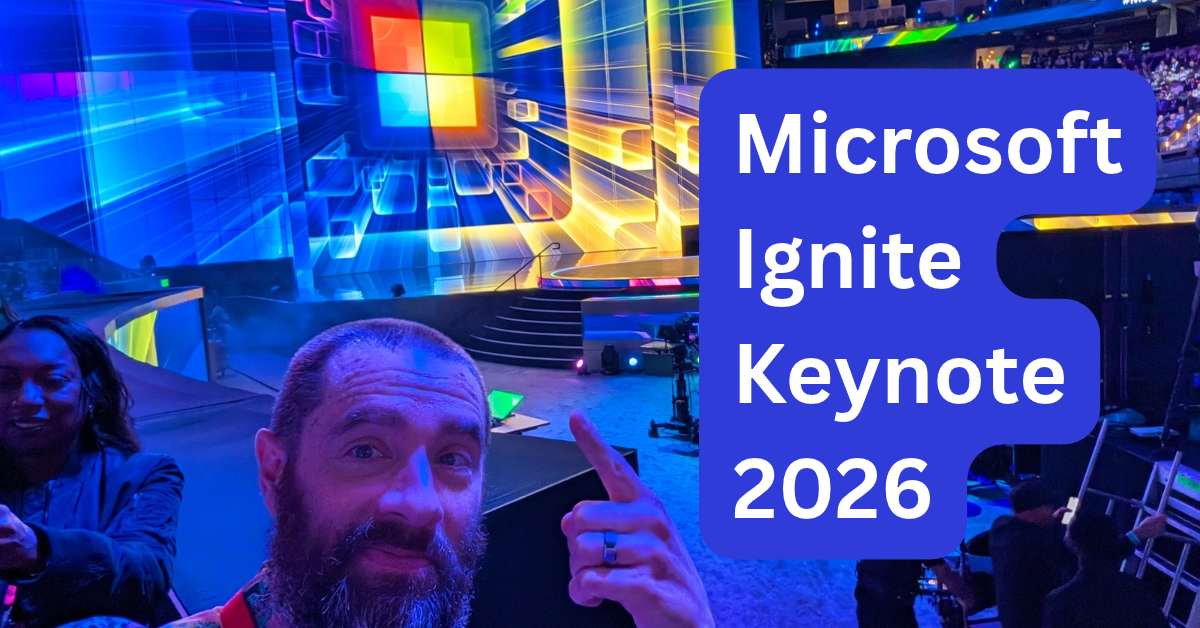
Full disclosure: I attended Microsoft Ignite through Microsoft’s influencer program. They covered the cost of the conference, hotel, and travel. That being said, they are not paying me for this post and have no editorial say over what I create.
Yesterday was the first official day of Microsoft Ignite in San Francisco, and that can mean only one thing: The Keynote. It was held at the Chase Center and the atmosphere was one of a concert, which I guess is pretty standard for these types of things. There was a DJ, a light show, a circular stage, and a packed house. Truly boots and pants vibes going on.
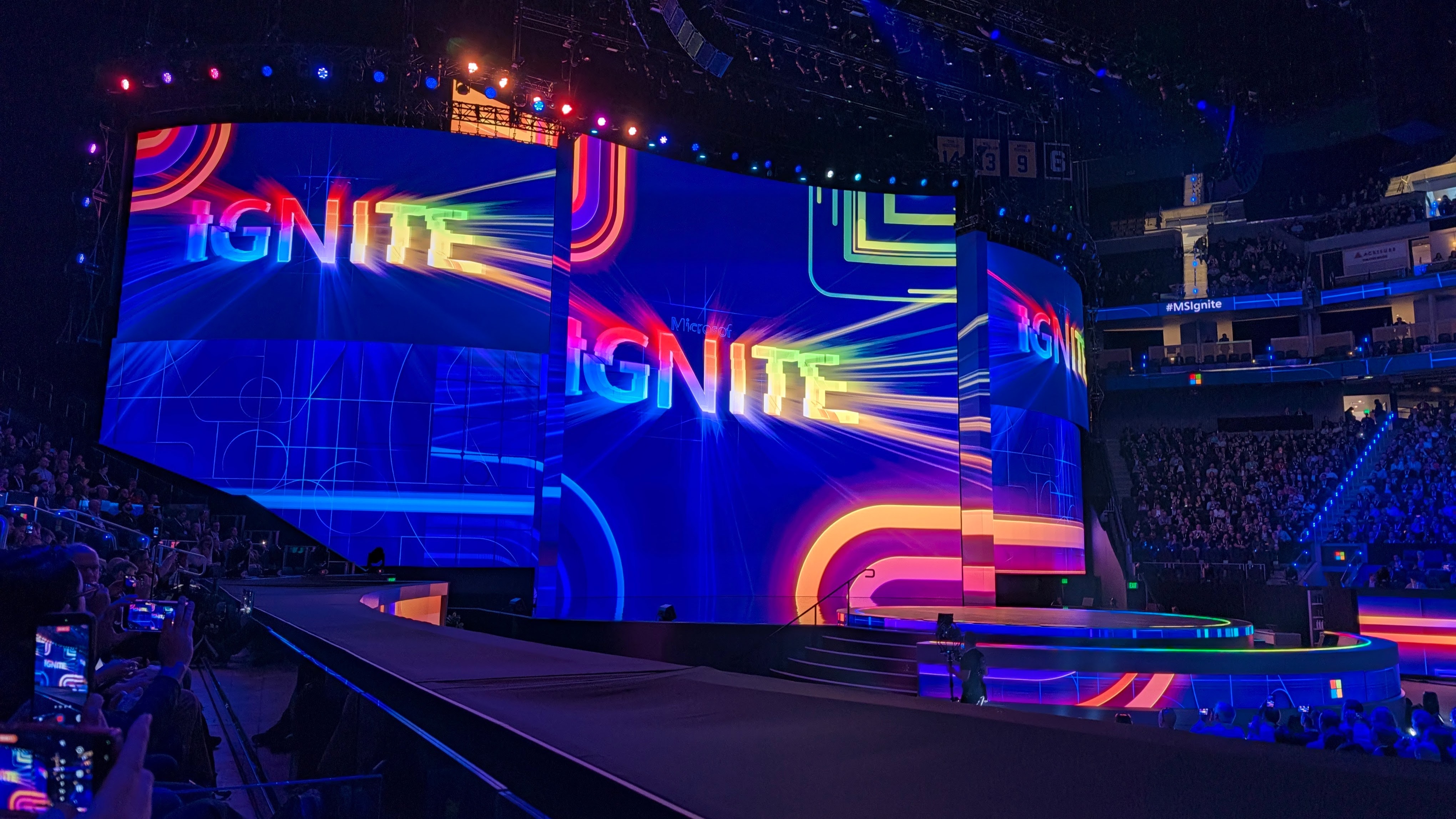
Before I get into the actual meat of the Keynote, first I have to address one major issue. IT WAS 2.5 HOURS! I don’t even want to watch my favorite artist - Carly Rae Jepsen, if you’re wondering - play for two and a half hours. And believe me when I say that while a capable presenter, Satya Nadella is not Carly Rae. (Although, I would love to see him do Call Me Maybe at karaoke.)
So like, MAKE IT SHORTER. Hell, ask Copilot to summarize it. They spent 150 minutes talking about how AI was going to make all work things better, and I’m sure AI was involved in planning and creating the assets for the Keynote. Maybe they could have asked Copilot Cowork to trim things down a bit? AI is pretty good at that kind of thing. At least that’s what I’ve been told for roughly the length of a Christopher Nolan movie.
All snarkiness aside, it’s not like Microsoft didn’t pack the presentation to the gills with announcements and demos. It was a virtual buffet of all things AI: Copilot, MAI, Perception, etc. To be honest, a lot of it is stuff I will never use. That’s not a slight on Microsoft; it’s just a reality of my current work situation.
I am self-employed on a team of one. The Copilot Workspaces thing sounds super useful, if you are on a team that needs to collaborate in real time with agents and humans. I don’t really have that problem. I also don’t have a sprawling estate of intellectual property that would be wonderful to load into Work IQ to make my models smarter and more useful.
What does interest me, however, is how Microsoft is approaching multi-model agents, agentic security, and continuous learning. Those are the things that perked up my ears and they are what I want to cover in this post.
Just so we’re clear, I’m talking about multi-model agents, not multi-modal models. The concept is relatively simple, but the execution can be complicated. The core idea is that you should use the model best suited for a particular task while also keeping in mind the cost of using the model. There’s a balance here that anyone in IT will immediately clock:
Good, fast, or cheap: pick two
You can use the most capable frontier model for all of your tasks, and it might be the fastest and most accurate, but it is also going to cost you some serious dinero. On the other hand, you could pick a cheaper model that is equally speedy, but potentially less accurate. Microsoft is trying to expand the possible choices while also helping you to decide amongst them.
GitHub Copilot Fusion is a good example of this. Instead of selecting a model explicitly, you can let Copilot Fusion pick a model for you, and the general result is that you’ll get better performance at a cheaper cost.
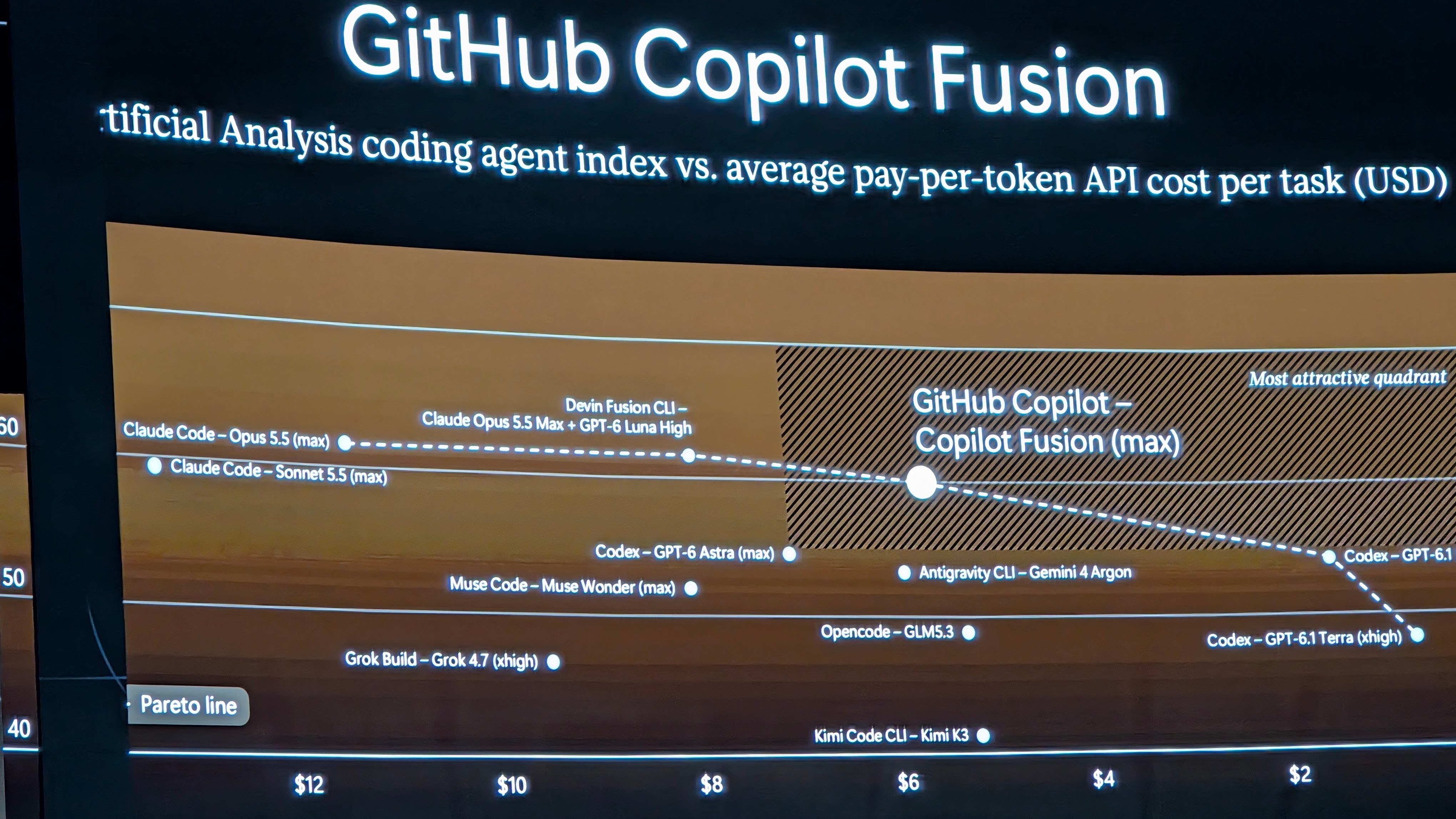
According to Microsoft’s testing, Copilot Fusion outperforms the current frontier models in terms of cost and accuracy when used as a coding agent. Copilot Fusion was announced back at GitHub Universe, but I think it’s worth highlighting.
While Copilot Fusion is squarely aimed at coding tasks, the general idea of evaluating a task and selecting the best model is more broadly applicable. One has to imagine that this is going to be available to other offerings: like agents, Microsoft Foundry, and the Copilot app itself.
Speaking of which, the Copilot thing is becoming increasingly confusing. I realize this isn’t news to anyone, but when someone says, “Copilot,” I literally have no idea which thing they are talking about. It seems like I spend the first few minutes of any conversation asking if they mean the app, the studio, the VS Code integration, or some third-party app that co-opted Copilot naming. There are other words out there Microsoft, please use them.
As an addendum to the idea of a multi-model agent or workflow, Microsoft also rolled out new versions of their current crop of MAI models along with a new decision model. It is named, ahem, Decision 1.1. Kudos to Microsoft for keeping it simple with the naming. To wit, the current model family is:
You absolutely do not need to guess what any of these models are intended for. Except maybe Realtime? It does realtime speech-to-speech processing. Now you know! 🌠
You may have also noticed Decision 1.1 amongst the new crop. Yes, indeed, Microsoft has joined the Jev-olution. I’ll admit that I was fairly skeptical at first when it came to decision models, after all we’ve had fast CNN type models for a long time. However, many people that I respect have informed me that decision models are in fact a useful thing. Who am I to argue?
Microsoft is making some big claims about the performance and cost of their MAI models:
“MAI Code 2 delivers 98% of GPT-6.1 Sol’s performance at 40% of the cost, and 96% of Claude Opus 5.5’s at 5%”
The messaging across all the offered models is pretty consistent. While the MAI models may not always be the best-in-class for performance, you don’t always need a Ferrari to pick up oat milk at the corner store. Use frontier models when the task warrants it, and leverage cheaper models when it doesn’t.
I’ve already been doing this pretty consistently in Claude Code and Codex, and now in VS Code with Copilot Fusion. If the results are good, I have no particular loyalty to a model.
But what if you want to bring your own model? Good news everyone!
That’s bring your own model, not bring your own meat. Although, I do have a smoker and I’d be happy to share a meal.
Microsoft Foundry has allowed you to train your own model for a while now, but I hadn’t realized how much they have expanded what models you can start with. I swear when I checked a year ago, the number of available open-weight models was pretty paltry, but now? There are over 11,000 models in the catalog, including every open-weight model I can think of.
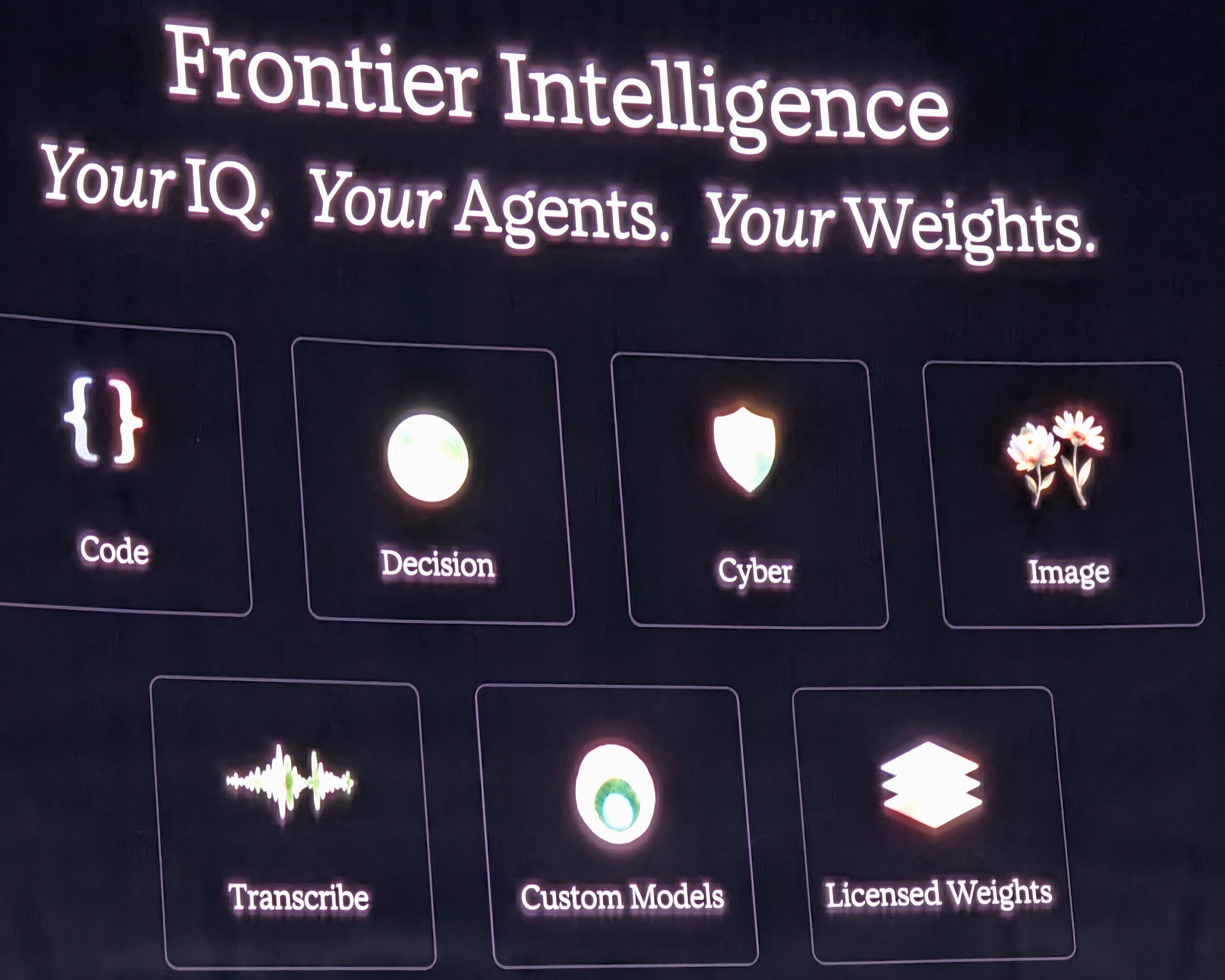
In my estimation, this is truly the way. You can start with a model that most closely matches your needs, then train it in Foundry to improve quality against evals, and then leverage that model in your agents. But training a model once is not enough. Over time, your scenarios will change and evolve and you’ll amass samples that can be used to improve the accuracy of the model. Microsoft is well aware of this situation, and they are looking to assist with continual learning.
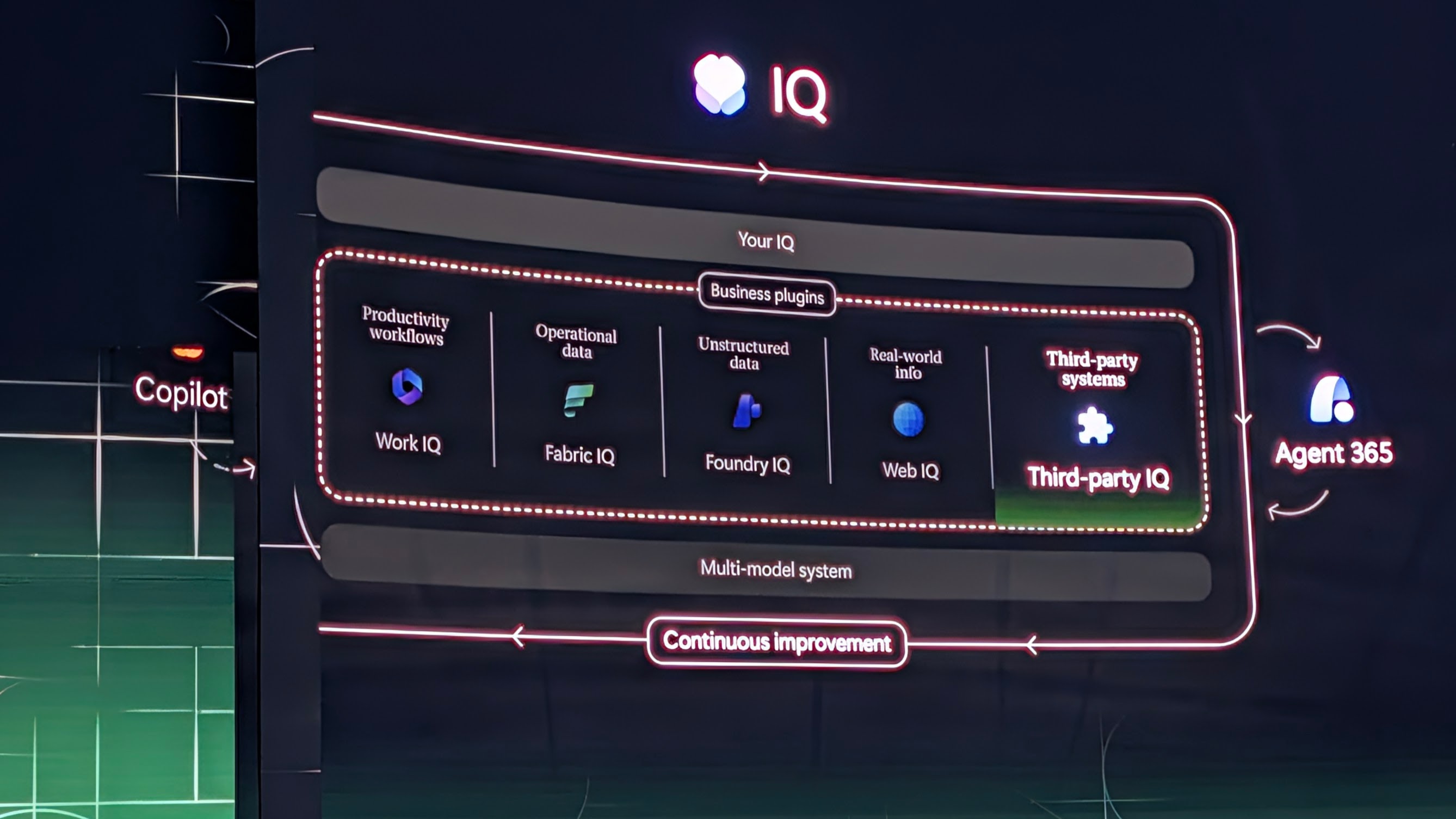
Just like your code isn’t done on v1 - it will be continuously improved and deployed - your fine-tuned model isn’t done on v1 either. Instead of a CI/CD pipeline, it’s pretty clear that we’re looking at a CL/CD pipeline (continuous learning/continuous delivery). As samples are collected from running applications, they are fed back into the model training process and new evals are run. Assuming the evals show an improvement in quality/cost/speed that sits within your acceptance gates, the new model is rolled out.
That rollout can be as simple or complicated as you want, including canary or blue/green deploys. To support a phased rollout, there needs to be a gateway sitting in front of the model, steering prompts to the correct endpoint.
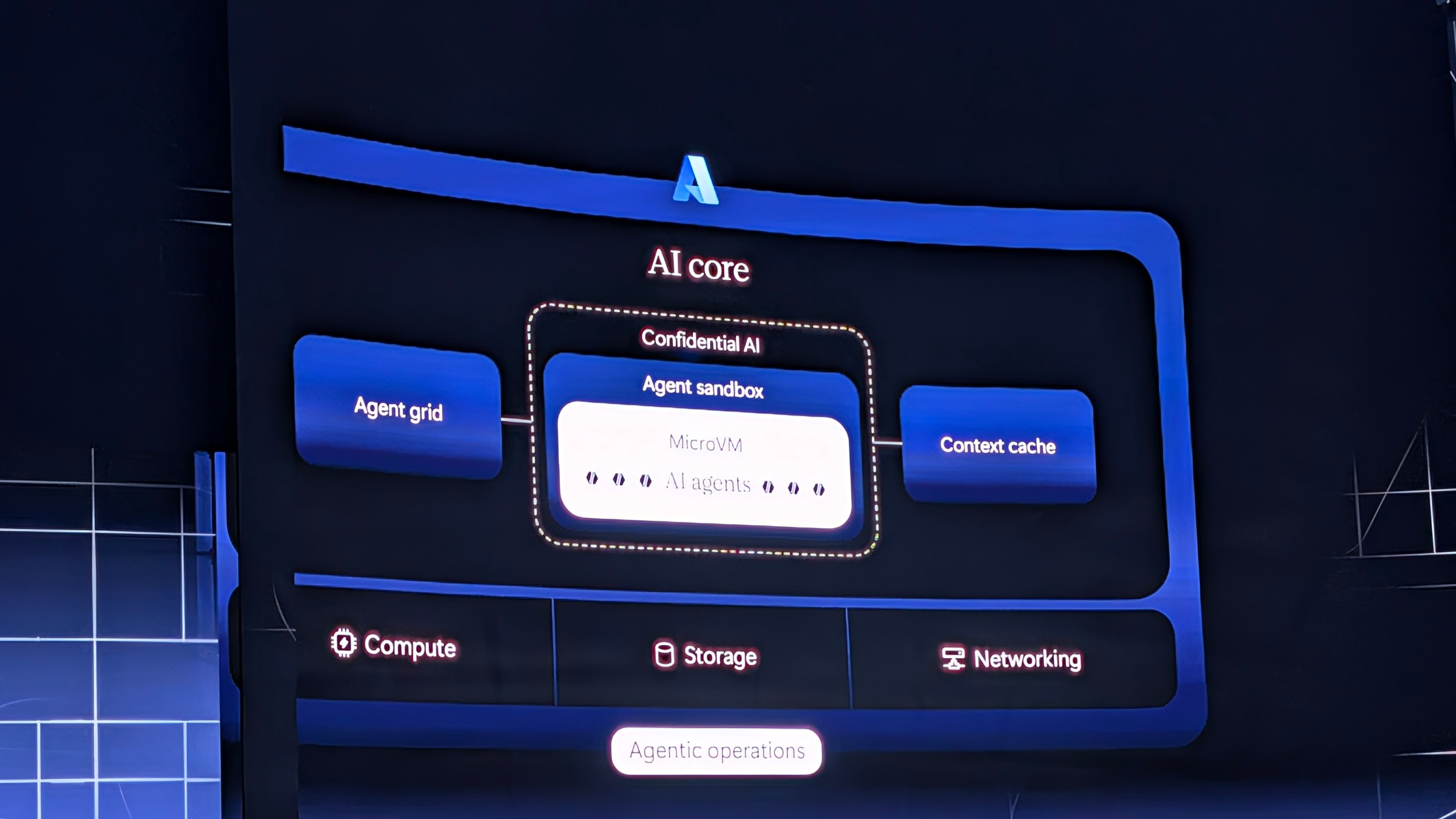
I would imagine that’s part of the updated Azure AI stack Microsoft was referring to in the above image.
It would appear that Microsoft not only wants you to be able to use models that live in the cloud, but also running locally on your own hardware. I wish they had spent more time talking about how they plan to support the running of local models and maybe introduce something into Copilot (the app) that would run a model for you. It seems like a natural extension for developers especially. Skip running Ollama or LM Studio and instead bundle the inferencing stack into Copilot directly.
Server 2028 is also in public preview, and that does have a focus on making inferencing and training easier on a Windows platform. I don’t know anyone who seriously runs inferencing at scale on Windows, but could Server Core do something with that? It remains to be seen.
My cohost Kyler talks about agents as thousands of new insider threats. That’s a pretty apt description. Your agents run inside your environment, are granted access to your intellectual property and data, and are empowered to perform actions by themselves or on your behalf.
Whatever security tools you have now were not designed to handle agentic workloads. Humans and applications? Sure. But agents are neither of those things, or perhaps they are both times one thousand. The non-deterministic behavior of a human combined with the speed of an application. What could go wrong?!
Microsoft is hoping that you’ll leverage Agent 365 and Copilot Studio to get your arms around existing agents and apply security and controls to those agents. Either solution needs to make it easy for folks to bring in agents in a secure and controlled way, without blocking them from getting work done.
We’ve actually been here before. Remember Shadow IT? When SaaS first started taking off, folks all over the enterprise would discover a SaaS app that made their life easier and start using it without any approval from the IT team. I used to run consulting gigs where we would collect data from an enterprise’s web proxy to see how many SaaS apps were in use versus what was approved. Usually it was something ridiculous like a 20:1 ratio, where there were 20 SaaS apps in use for each one formally approved by IT.
Agents are going to be the next SaaS app avalanche, and if IT stands in the way of folks getting their work done, they are going to lose that battle. Big time. What did we learn from Shadow IT? You need to make it easy enough for end users to do their work, while still providing a baseline level of security. And you need to educate your end users about some basic security hygiene.
Microsoft was already trying to help IT admins get their arms around the agentic explosion through Agent 365, and now they are further expanding that through their new offering Perception.
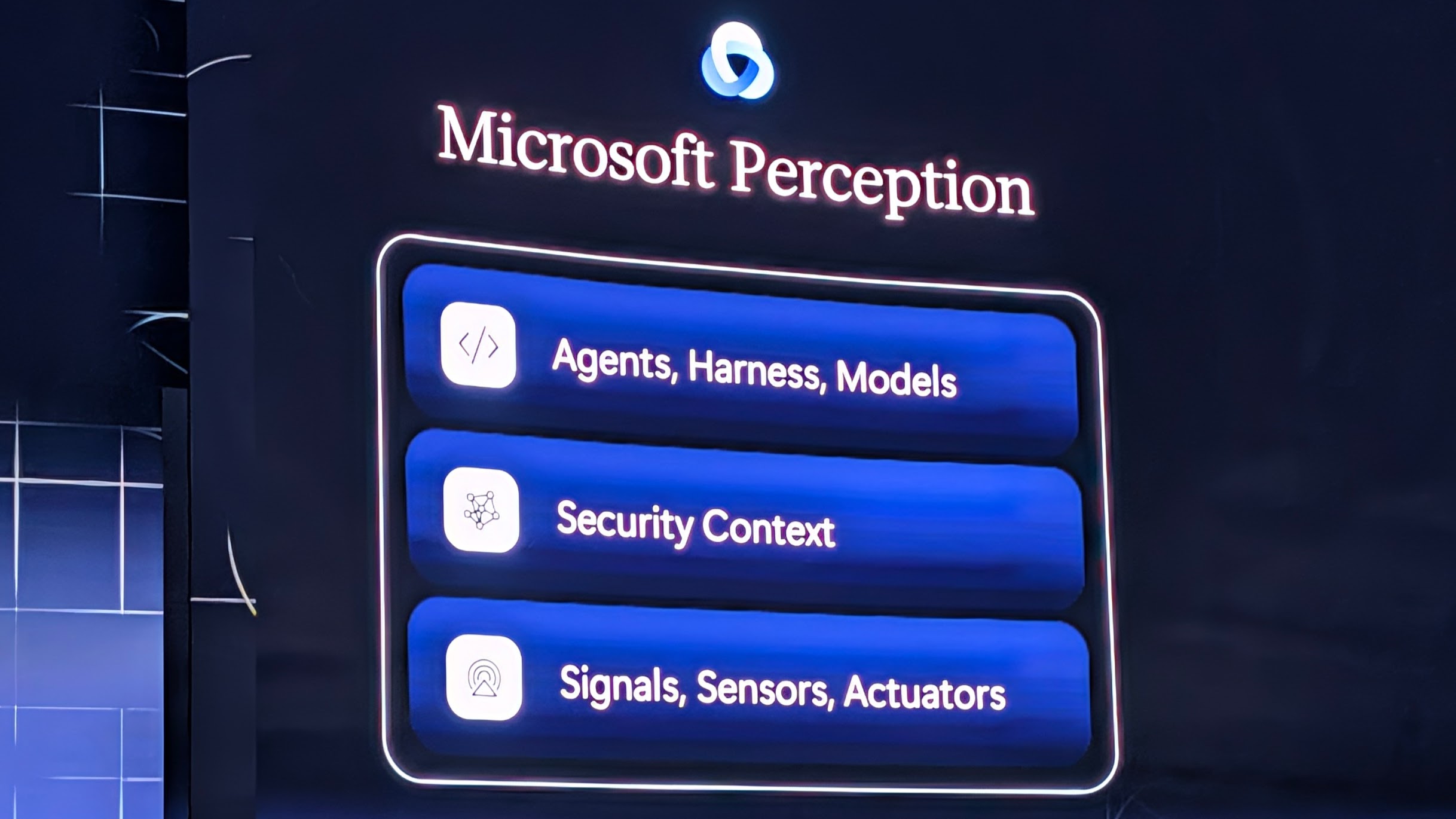
Perception goes beyond just trying to secure the agent. It moves to encompass the full stack that includes the agent, harness, models, security context, and observability signals. New threats require new tools and it was nice to see Microsoft try and get ahead of that.
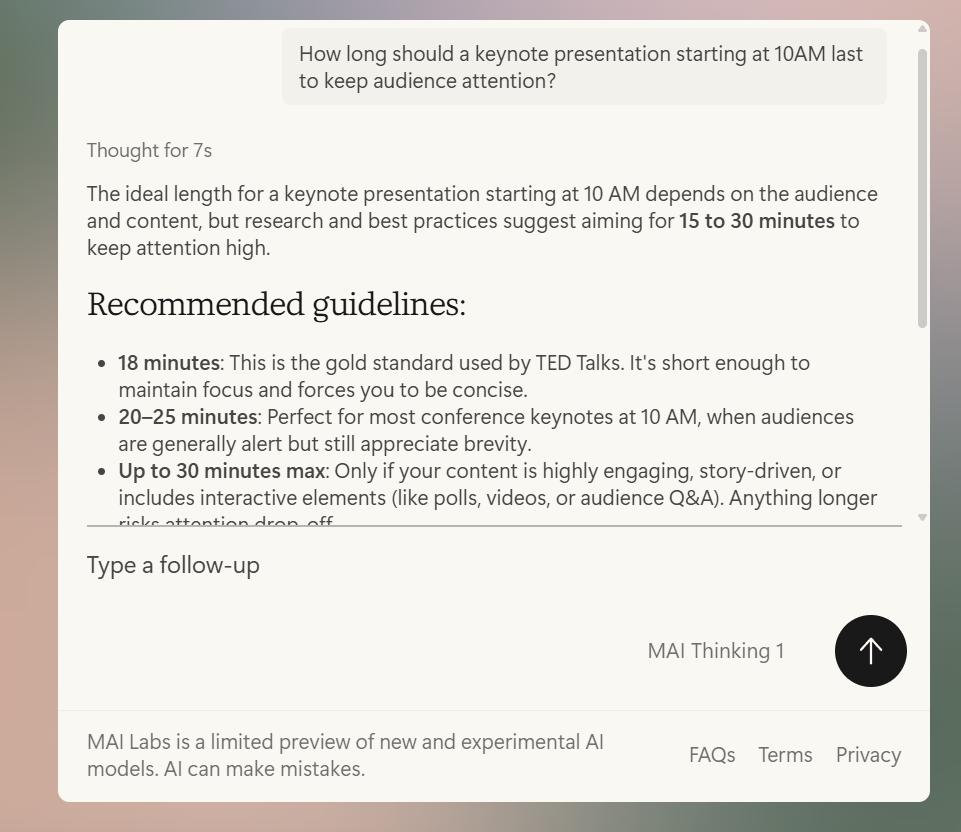
That does lead me to one last note of criticism for the keynote. If security is a priority, maybe don’t put it at the end of the presentation when everyone has completely lost their collective attention. Looking around the theatre as the Perception demos rolled, it was half-empty and quickly became mostly-empty. It’s not because the information wasn’t compelling, it’s because people were done. It was almost 12:30PM, folks were hungry, and we’d been sitting there since 9:45AM. Even MAI Thinking 1 knows better:
The Ignite Keynote for 2026 was wall-to-wall AI. There was not one single announcement or topic that did not directly tie back to AI in some way. That’s not surprising, given what AI is doing to the world of technology. However, I think we’re all feeling a little AI fatigue and the duration of the keynote didn’t help.
My main takeaways are around multi-model workflows, securing agents in enterprises, and employing continuous learning on open-weight models. Expect to see some posts about each of these in the future.
November 18, 2026

October 5, 2026

August 29, 2026

May 23, 2026
